








Cached Pages, Ultra-Fast Loading Time
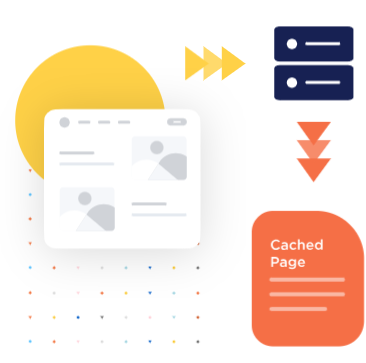
Google loves fast websites – and so do your visitors! If your pages are slow to load, your users get bored, leave, and never return. With WP Rocket, you can say goodbye to sluggish load times. Our plugin automatically caches your website with zero effort on your part—no settings to tweak or tabs to check. WP Rocket runs seamlessly in the background, generating static HTML files that load instantly for your visitors. And whenever you update a page, the cache clears automatically, so your latest changes are always live. WP Rocket also optimizes browser caching, allowing commonly used but infrequently updated files to be stored locally, reducing load times even further.

Make Your Files Lighter
A fast load time also depends on the amount of files that are uploaded to your website. With WP Rocket, you can minify and combine the CSS and JS files of your site, optimize CSS delivery, and load JS deferred. More importantly, you can also delay the execution of JavaScript files until user interaction to reduce initial load time. Delaying JavaScript files will have a direct impact on two Core Web Vitals metrics: Largest Contentful Paint (LCP – measures loading performance) and Interaction to Next Paint (INP – measures responsiveness).

Media Files Loaded Only When Needed
WP Rocket includes a smart set of options to tweak the display of images and iframes on your site. With our LazyLoad, you can defer the loading of images, including the CSS background ones, videos, and iframes, leaving them ”off-screen” until the users need them. Lazy-loading is a brilliant way of optimizing both perceived and real performance. It also saves the users bandwidth because they won’t have to download all your images! If your site uses WebP images, WP Rocket can also create a separate cache file to serve those, if needed.

Get the Faster Cached Version in a Blink
Cache preloading ensures your visitors get the speedier, cached versions of your site right away. WP Rocket creates the cached versions of your content right upon activation. You can allow the cache to build up naturally from user visits, or let WP Rocket automatically preload pages that don’t yet have cache. In this case, preloading will happen in a blink after WP Rocket clears the cache of posts/pages/custom post types of your site. Besides, the sitemap-based cache preloading option automatically detects and preloads the sitemaps generated by popular WordPress SEO plugins

A Tidy Database for a Happy Website
A clean database runs more efficiently and it also helps to speed up your site. WP Rocket provides a dedicated set of options to optimize your database and keep it lean. You can clean up comments, posts, and transients, optimize your database tables, or schedule automatic cleanups: everything in two clicks.

Reduce Latency and Improve Availability
When your site speaks to a broad international audience, a CDN is key to improving the loading time of your website for visitors that are far away from where your server is located. If you already use a CDN, you can integrate it into WP Rocket’s dashboard in a few clicks. As an alternative, you can use RocketCDN, WP Rocket’s custom CDN. Forget configuration headaches: the configuration is automatic to provide you with the best speed results.

Give More Power to Your Features
WP Rocket Add-ons are a set of features that extend available options in very few steps:
• Varnish Cache
• Cloudflare integration
• Sucuri integration
Control them with a 1-click switch.