Computer Security Lock (1)

Comprehensive WordPress Security Expertise

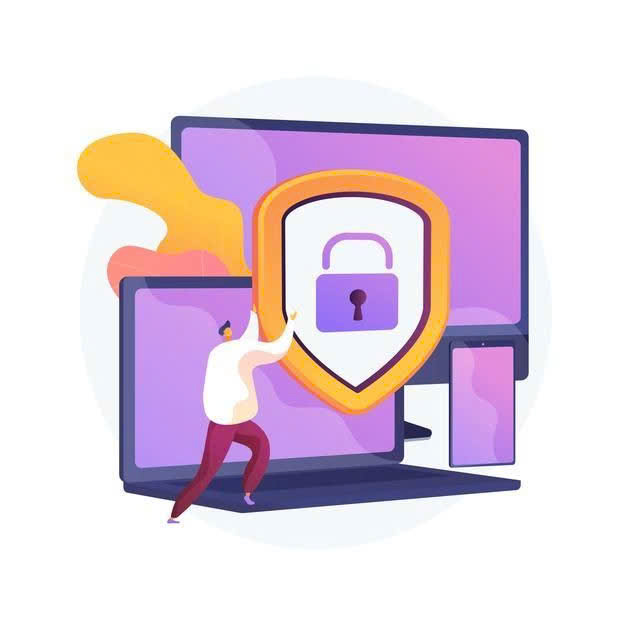
Protect your WordPress site with advanced security solutions designed to prevent hacks, data breaches, and more.

Protection

Guard your site with 24/7 monitoring and malware detection.

Alerts

Instant notifications for suspicious activities to ensure quick action.

Key Features of Our WordPress Hosting

Leverage powerful technology for faster, secure, and scalable WordPress hosting, with AI malware removal, real-time threat monitoring, and high-performance SSD storage.

Cloud-Based Scalability
LiteSpeed Web Server
Built-In Caching with LSCache
Next-Gen PHP (PHP 8+ Support)
Automatic Malware Removal
Real-Time Threat Intelligence
High-Performance SSD Storage
Free HTTP/2 and QUIC Support
AI-Powered Backup & Restore
How We Secure Your WordPress Site

Identify risks, apply security measures, and monitor your site 24/7 for ultimate protection.

arrow-img
1

Security Audit

We begin by scanning your site for vulnerabilities and potential risks.

arrow-img
2

Security Implementation

We apply advanced security measures, including firewalls and malware scanners.
3

Continuous Monitoring

Our team monitors your site around the clock and applies updates as needed.

Complete WordPress Security Solutions

From comprehensive protection and real-time monitoring to tailored security plans and automatic backups, we ensure your WordPress site stays safe and secure at all times.

Comprehensive WordPress Protection

We offer a full range of security solutions to protect your WordPress site from common threats and vulnerabilities.

Advanced Threat Detection

Our system detects WordPress-specific threats such as SQL injections, cross-site scripting (XSS), brute force attacks, and more, preventing damage before it happens.

Real-Time Malware Removal

As soon as malware is detected, it’s immediately removed from your site, ensuring it stays clean and free of harmful software.

Automatic Updates

We automatically update your WordPress core, themes, and plugins to reduce the risk of security vulnerabilities caused by outdated software.

24/7 WordPress Monitoring & Real-Time Alerts

With 24/7 monitoring and real-time alerts, we make sure that any potential security threat is detected and addressed immediately.

Continuous Site Monitoring

We monitor your WordPress site around the clock, identifying suspicious activities such as unusual login attempts or file modifications in real-time.

Instant Alerts

You’ll receive immediate notifications via email or SMS whenever a potential threat, such as a hack attempt or malware infection, is detected on your site.

Activity Logging

All activities on your site are logged, so you can keep track of login attempts, changes to key files, and other events, giving you full visibility into your site's security.

Real-Time Threat Detection

Any security risk is detected as it happens—whether it’s a brute force attack, login attempt, or suspicious file upload—ensuring your site remains protected.

Tailored WordPress Security Solutions

Our security solutions are customized for the unique needs of your WordPress site, ensuring that you receive the best protection based on the type and scale of your website.

Custom Security Plans

Whether you have a personal blog, an eCommerce site, or a corporate platform, we tailor our security measures to fit the unique needs and structure of your WordPress site.

Scalable Protection

As your business grows, so do your security needs. Our scalable solutions ensure that your website remains protected as it evolves.

Flexible Protection

We offer flexible security strategies that can be adjusted to meet the specific requirements of your WordPress site, whether you're a small blog owner or managing a large eCommerce store.

Automatic WordPress Backups & Data Recovery

Protect your valuable data with our automatic daily backups and simple recovery options to ensure your site can be restored quickly in case of an emergency.

Daily Automatic Backups

Your site is backed up daily, ensuring that a fresh copy of your data is always available, minimizing the risk of data loss.

One-Click Restore

If your site is compromised or data is lost, you can restore everything with just one click, getting your site back online quickly and easily.

Encrypted Backups

All backup data is encrypted, so even if someone tries to access your backups, the data remains secure and protected from unauthorized access.

Security Tips for WordPress Users

Stay ahead of cyber threats with these essential WordPress security tips. Learn simple yet effective practices to safeguard your site, protect user data, and ensure smooth, uninterrupted service for your visitors

Use Strong Passwords

Ensure all admin and user accounts have strong, unique passwords.

Limit Login Attempts

Prevent brute force attacks by limiting login attempts and using CAPTCHA.

Keep Everything Updated

Regularly update WordPress core, themes, and plugins to patch vulnerabilities.

Use SSL Encryption

Secure data transmission with SSL certificates, improving both security and SEO.

Backup Regularly

Schedule automatic backups to secure your data and make recovery easier in case of an attack.

What Our Clients Say About Our WordPress Security Services

Hear from our satisfied clients who trust our WordPress hosting service to keep their websites secure, fast, and reliable.

testimonial-image
Zoe LiFreelance Web Developer

I've been using this WordPress hosting service for months now, and I'm extremely impressed. The performance is fast, and the security features are top-notch. The support team is very responsive, and I feel confident knowing my website is protected. Highly recommend it for anyone serious about their WordPress site!

testimonial-image
Kai ChenSmall Business Owner

As a business owner, security is my top priority. This hosting service gives me peace of mind with its real-time threat monitoring and automatic backups. My website has been running smoothly without any downtime. It's the best choice for anyone who wants reliable WordPress hosting.

testimonial-image
Ming Yue WongeCommerce Store Manager

After switching to this hosting provider, I noticed a significant speed improvement on my WordPress site. The auto-scaling features and quick customer support are a game changer for my online store. This service is perfect for businesses like mine.

Frequently Asked Questions

Got questions about WordPress security? Find the answers to the most common queries related to protecting and securing your WordPress site.

How can I secure my WordPress site?

To secure your WordPress site, it’s essential to regularly update your plugins, themes, and WordPress core to ensure you’re protected from vulnerabilities. Additionally, use strong and unique passwords for all user accounts, install a reliable firewall to block malicious traffic, and enable a malware scanner to monitor and detect threats in real time.

What is a WordPress security plugin?

A WordPress security plugin is a tool designed to protect your website from various security risks. It can help by detecting and blocking potential threats such as malware, brute force attacks, and unauthorized login attempts. Some plugins also provide additional features like real-time monitoring, malware removal, and security hardening.

How often should I back up my WordPress site?

We recommend performing daily backups to ensure your website’s data is always safe. However, at the very least, back up your site before making any changes or updates. Regular backups allow you to restore your site quickly if anything goes wrong during updates or attacks.

What is a firewall in WordPress security?

A WordPress firewall is a security feature that acts as a barrier between your website and potential threats from the internet. It filters out malicious traffic, such as hacking attempts or malicious bots, before they can reach your site. This helps to block cyberattacks and unauthorized access, ensuring your site remains safe.

How can I tell if my WordPress site has been hacked?

Some common signs of a hacked WordPress site include unusual traffic spikes, redirected pages, altered content or settings without your permission, or unexpected downtime. If you notice these symptoms, it’s important to investigate and secure your site immediately.

What should I do if my WordPress site gets hacked?

If your WordPress site is hacked, the first step is to restore from a clean backup to minimize the damage. Afterward, update all your passwords, especially for the WordPress admin area. Scan your site for malware, remove any malicious files, and ensure your website is secured with the latest security measures.

What is SSL encryption and do I need it for WordPress?

SSL (Secure Sockets Layer) encryption ensures that any data transmitted between your website and its visitors is securely encrypted. This protects sensitive information like passwords and credit card numbers. SSL also boosts your site’s SEO ranking and is highly recommended for all WordPress sites, especially those with e-commerce or user login features.